Duplicate to another marketplace
Copy Sponsored Products, Sponsored Brands, Display and Streaming TV campaigns to other Amazon marketplaces, or duplicate them on the same one, with your products checked, your keywords translated and your bids converted.
Toolkit → Duplicate to another marketplace copies Sponsored Products, Sponsored Brands, Display and Streaming TV campaigns from one marketplace (for example Amazon.com) to others (Amazon.de, Amazon.co.uk…), or duplicates them on the same marketplace. Gloriads asks Amazon what each part of the campaign becomes over there, shows you a preview, and creates nothing until you approve.
Before you start
- Your Amazon Ads account is connected, with the marketplaces you want to copy to.
- Sponsored Products, Sponsored Brands, Display and Streaming TV campaigns can be copied, one type at a time.
- Amazon does not offer every type everywhere. For Kindle Direct Publishing authors, it offers Display on Amazon.com only, and Streaming TV nowhere. Amazon sells Streaming TV in the United States, Canada, Mexico, Brazil and the United Kingdom only.
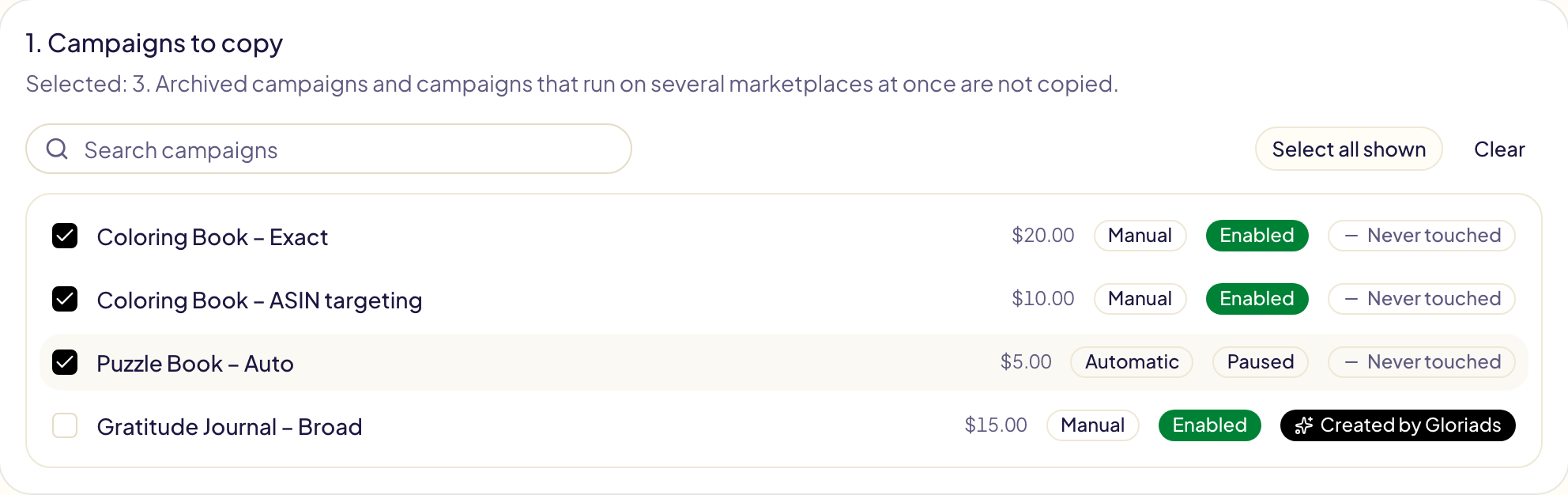
- Enabled and paused campaigns can be copied. Archived campaigns and campaigns that run on several marketplaces at once cannot.
1. Choose the type of campaign
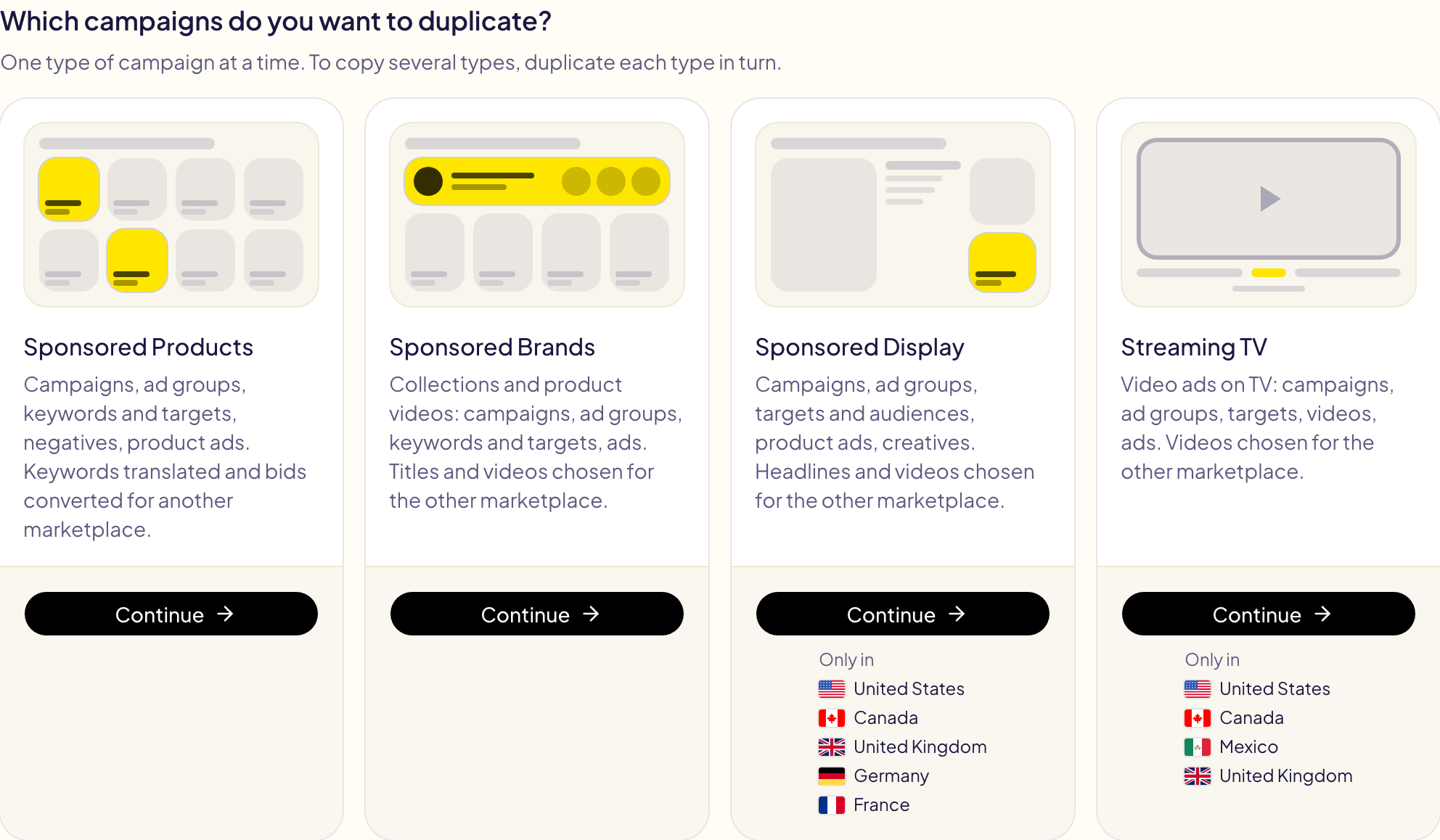
The tool starts by asking which campaigns you want to duplicate: Sponsored Products, Sponsored Brands, Sponsored Display or Streaming TV. Each type is copied in its own way, so one copy holds one type. To copy several types, duplicate each type in turn.
A type Amazon offers on none of your marketplaces is greyed out, marked Not offered, with the reason. A type offered on some of them only says where: Only in, then those marketplaces. To pick another type later, click Change next to the type, at the top of the page.
2. Pick the campaigns
Choose the marketplace to copy from at the top of the page (only those where Amazon offers the type can be picked), then tick one or more of its campaigns of that type.
3. Pick the marketplaces
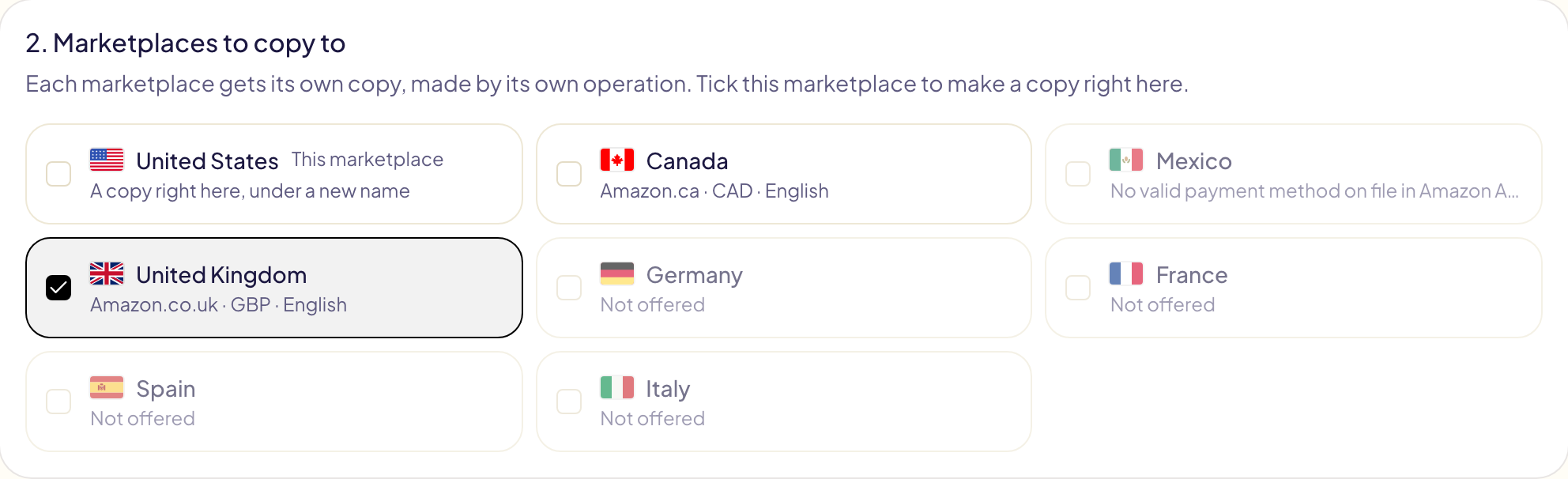
The marketplace you copy from comes first, as This marketplace: tick it to duplicate the campaigns right there. Every other marketplace of your account follows, with its currency and the language its shoppers search in. Each marketplace you tick gets its own copy.
Two kinds of marketplace are greyed out:
- Not offered: Amazon does not offer this type of campaign there to your account.
- No valid payment method on file in Amazon Ads: Amazon refuses every new campaign there. Add a payment method in the Amazon Ads console (Billing and payments), then check again.
4. Check with Amazon
Click Check with Amazon. In a few seconds Gloriads asks Amazon, for each marketplace you ticked:
| What is checked | What happens |
|---|---|
| Your advertised products | A product that does not exist there, or that you cannot advertise there, is left out and listed. An ad group with no ad left is left out with its keywords and targets. A campaign with nothing left shows Nothing to copy. |
| Your targeted ASINs and categories | One with no equivalent on that marketplace is left out and counted. See campaigns that target categories. |
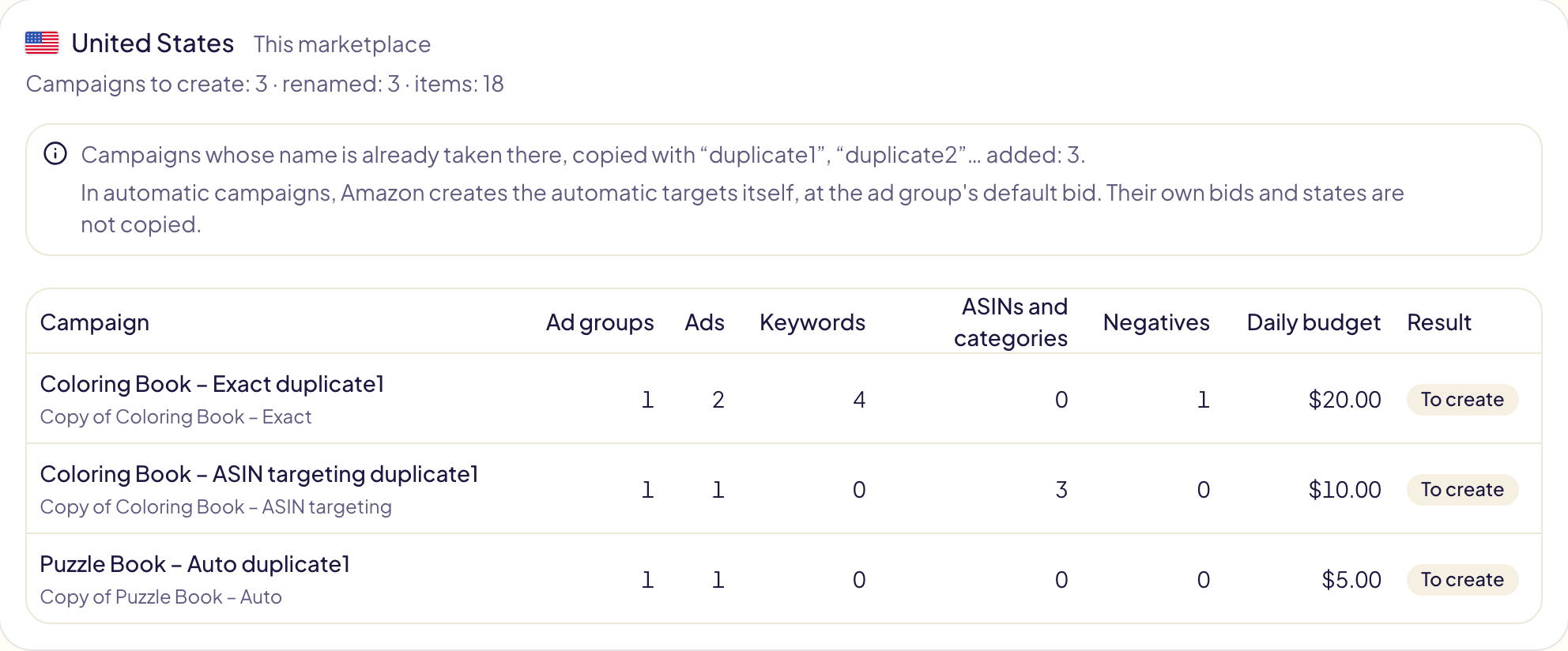
| Campaign names | A name already taken there gets « duplicate1 » added (« duplicate2 » if that one is taken too). On the same marketplace, every copy is renamed this way. |
| Bids and budgets | Kept within that marketplace's limits (minimum and maximum bid, minimum daily budget). Sponsored Brands and Display have their own ranges. The preview says how many amounts moved. |
| Display | Which of that marketplace's audiences has the same name as yours. See what changes on a Display copy. |
| Streaming TV | Whether Amazon offers Streaming TV there, and that marketplace's video library. See what changes on a Streaming TV copy. |
Nothing is created at this stage. Each marketplace gets a card with its choices, what is left out, and the campaigns that will be created.
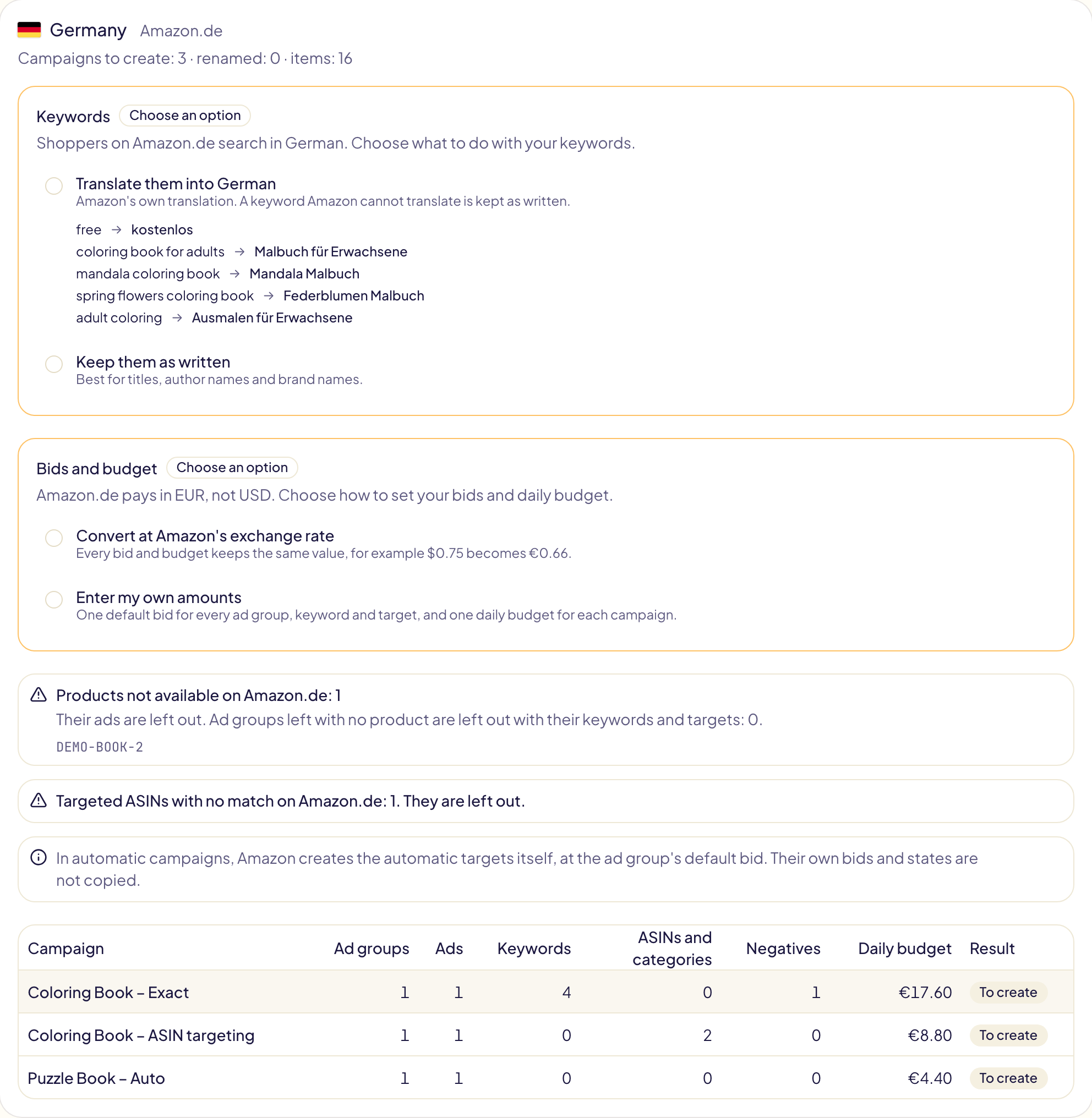
On the same marketplace, nothing needs choosing: products, keywords and amounts stay as they are, and only the names change.
5. Make the choices each marketplace needs
When a marketplace differs from the one you copy from, you choose. Nothing is pre-selected, and Approve stays disabled until every marked choice is made.
Another language: your keywords
- Translate them — Amazon's own translation into the marketplace's language. A keyword Amazon cannot translate is kept as written.
- Keep them as written — best for titles, author names and brand names.
Machine translation can get a word wrong. Open Review every translation to read them all, and untick a keyword to keep it as written. To fix many at once, search for a word, then click Keep all shown as written.
A No bid tag means Amazon suggests no bid for that keyword on that marketplace, for your products there: shoppers may not search it. It is a hint, not proof. Show only those lists the translations that carry it.
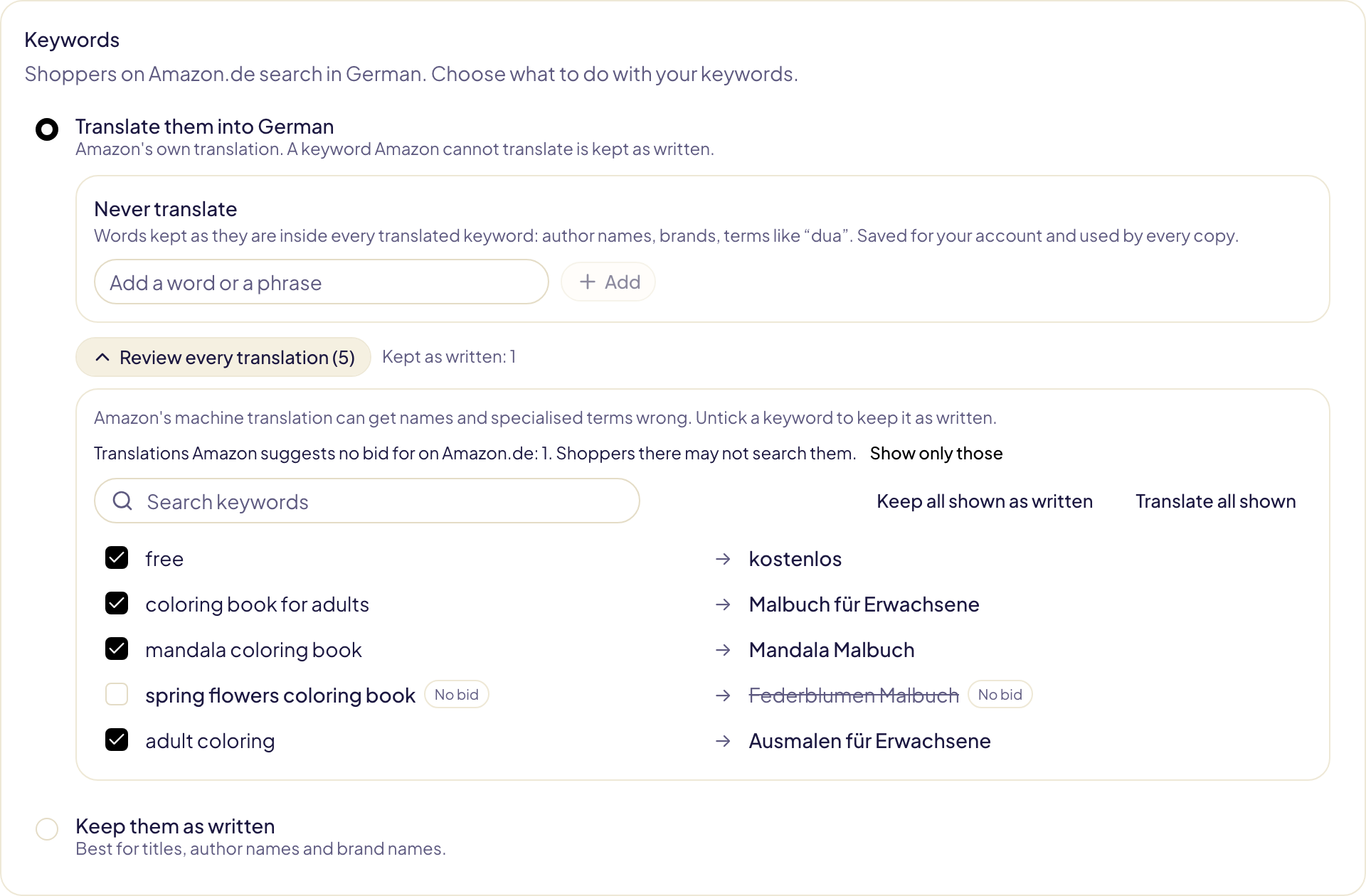
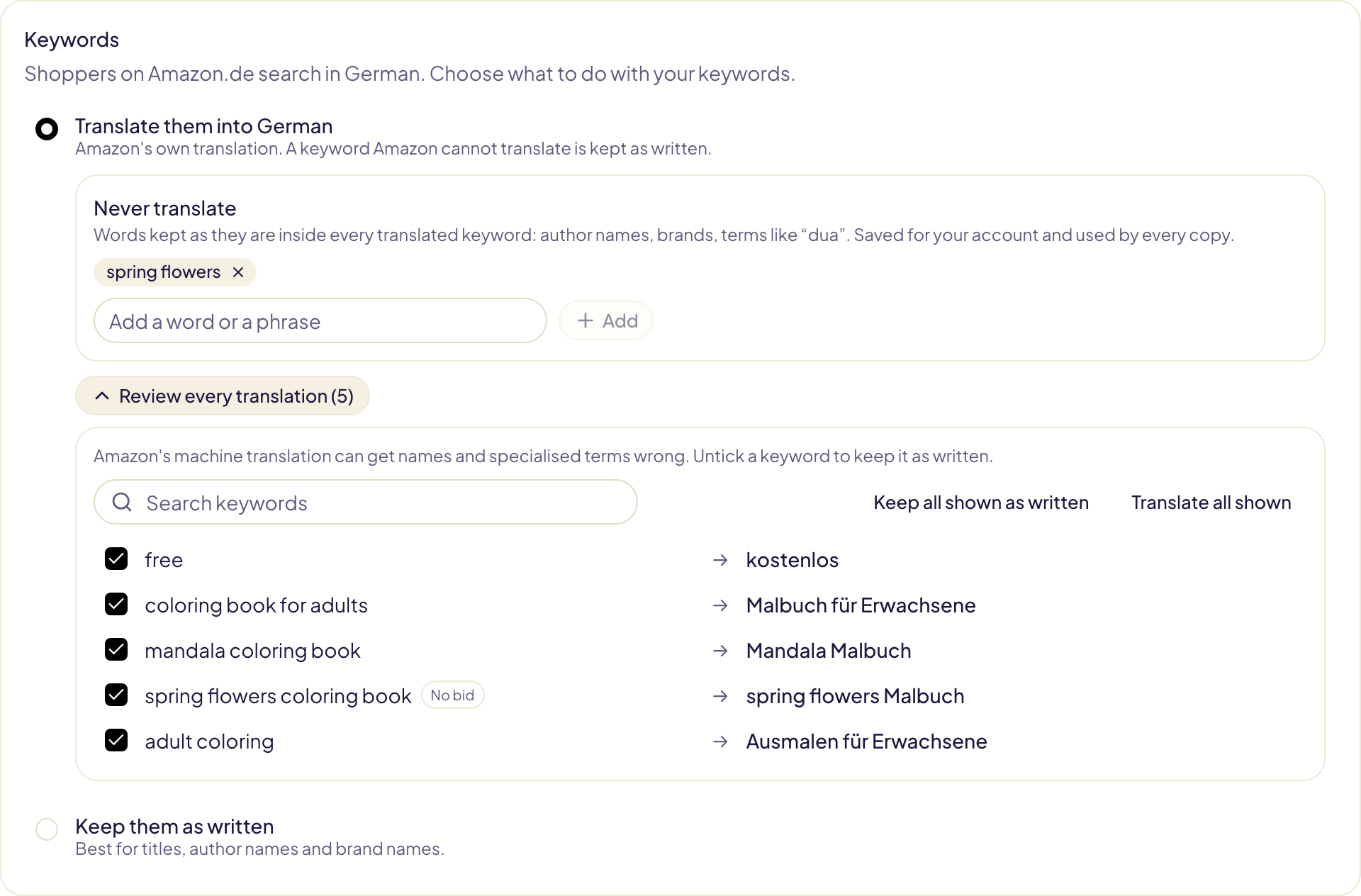
Never translate keeps a word as it is inside every translated keyword: an author name, a brand, a term like « dua ». Add it once: Gloriads asks Amazon again right away, and the list is saved for your account, so every later copy uses it. With « dua » in the list, « dua name » becomes « dua Vorname » on Amazon.de instead of « Doppelname ». « Launch in other marketplaces », when you create a campaign, uses the same list, and shows the same box once you choose to translate.
Marketplaces that share a language (Amazon.com and Amazon.co.uk, Amazon.es and Amazon.com.mx) keep your keywords as written, with no question asked.
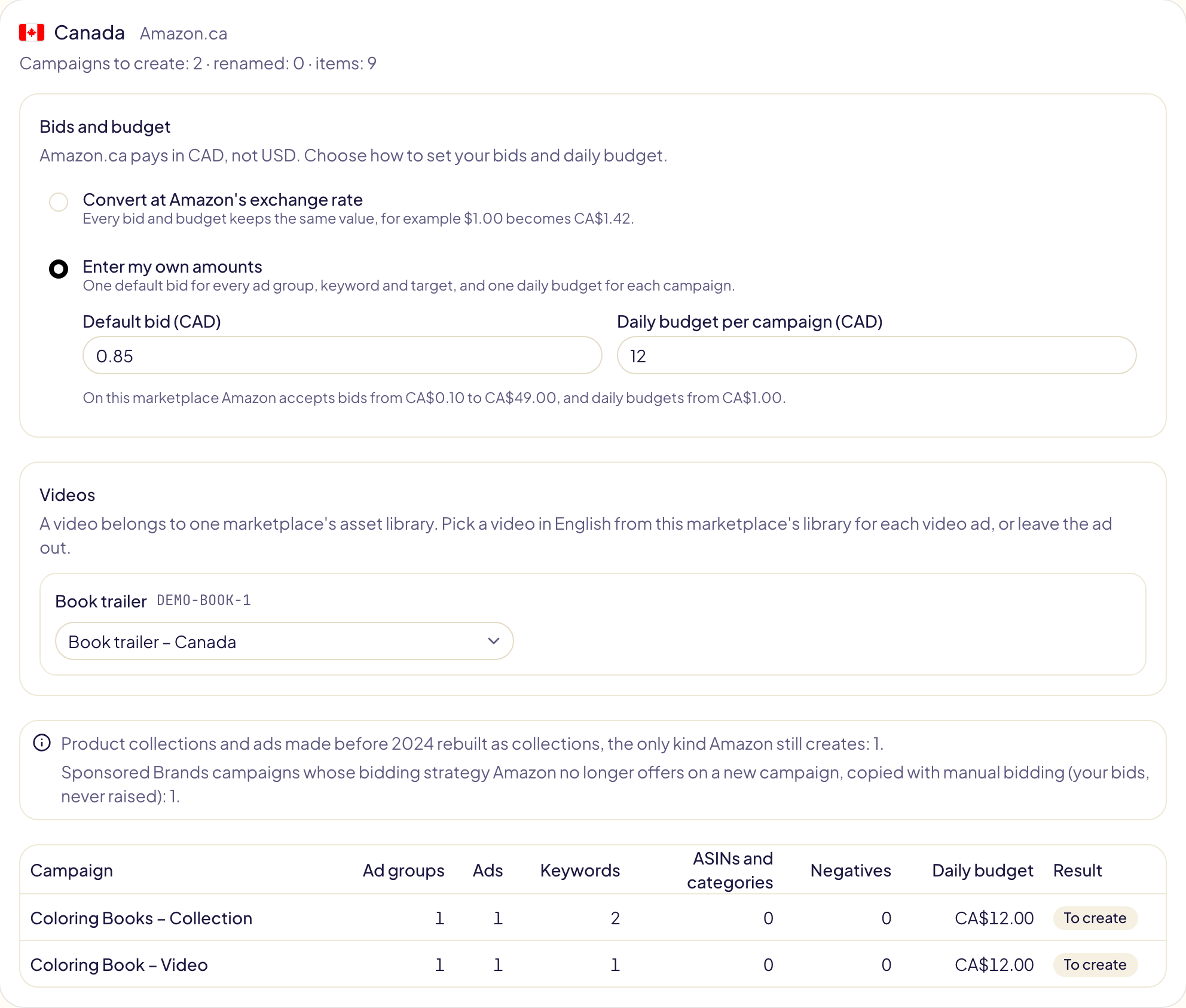
Another currency: your bids and budget
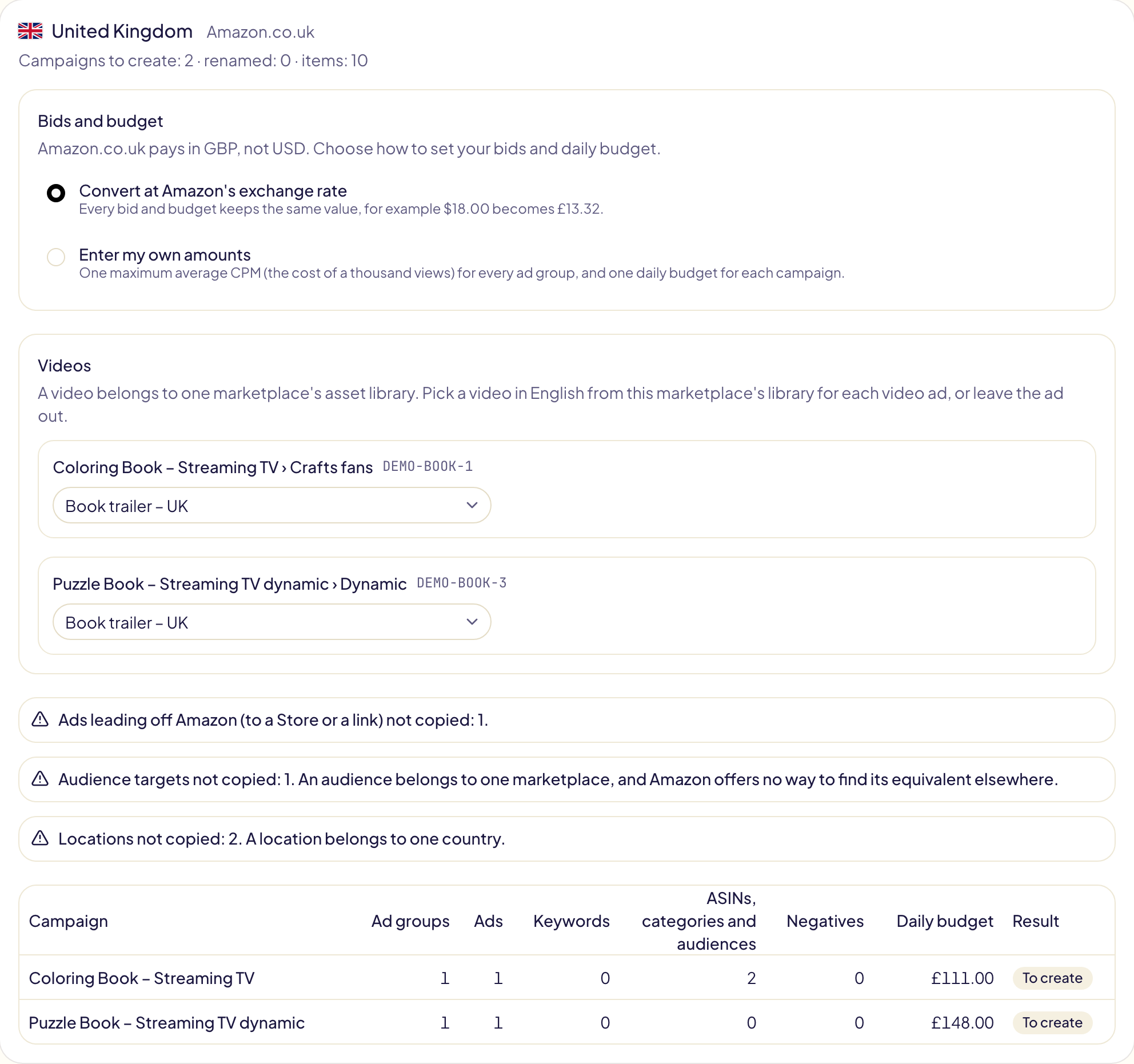
- Convert at Amazon's exchange rate — every bid and budget keeps the same value. The option shows what one of your bids becomes.
- Enter my own amounts — one default bid for every ad group, keyword and target, and one daily budget for each campaign, in the local currency. Amazon's limits for that marketplace are shown under the fields. For Streaming TV, the amount is the maximum average CPM (the cost of a thousand views) of every ad group.
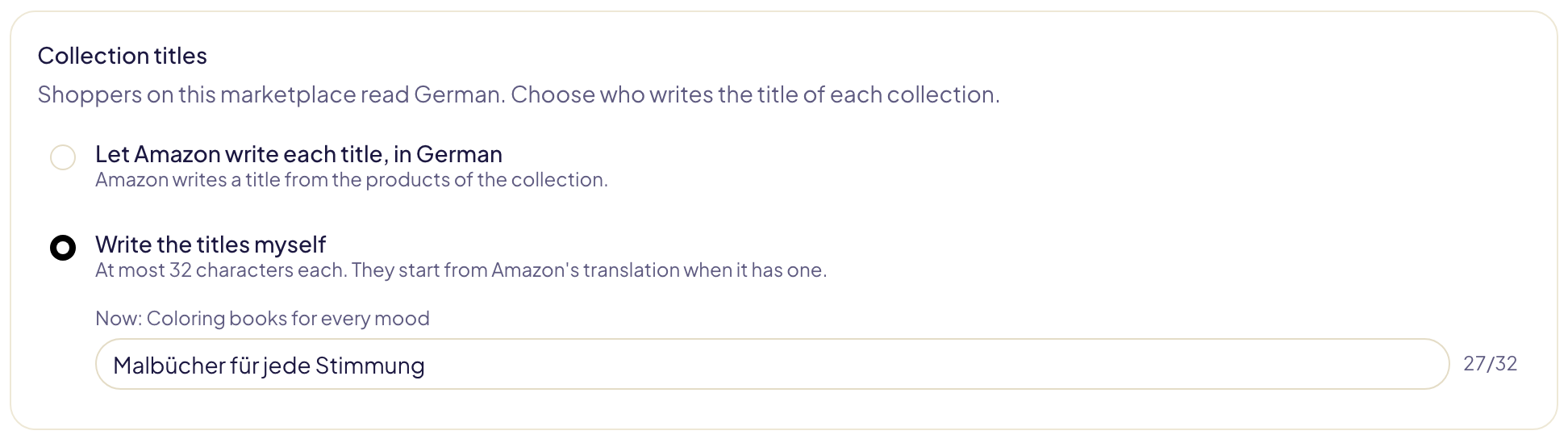
Sponsored Brands: collection titles
A collection's title must be in the marketplace's language, and at most 32 characters. When the language differs, or a title is longer than that, choose:
- Let Amazon write each title — Amazon writes one from the products of the collection, in the marketplace's language.
- Write the titles myself — each field starts from Amazon's translation of your title when it has one. A counter shows the characters left.
A title Amazon wrote in the first place is left to Amazon again, with no question.
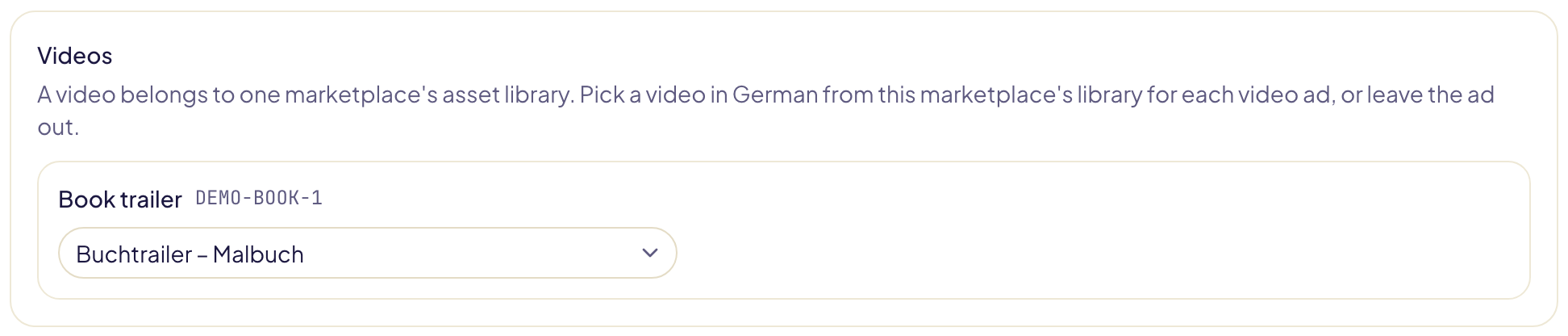
Sponsored Brands: videos
A video belongs to one marketplace's asset library: Amazon refuses a video of Amazon.com on Amazon.ca. For each video ad, pick a video in the marketplace's language from that marketplace's library, or Leave this ad out. The videos Amazon links to the same book are listed first, and the one you pick plays below the list so you can check its language.
If the library is empty, upload a video in the Amazon Ads console (Creative assets), then click Check with Amazon again. On the same marketplace, the original video is kept.
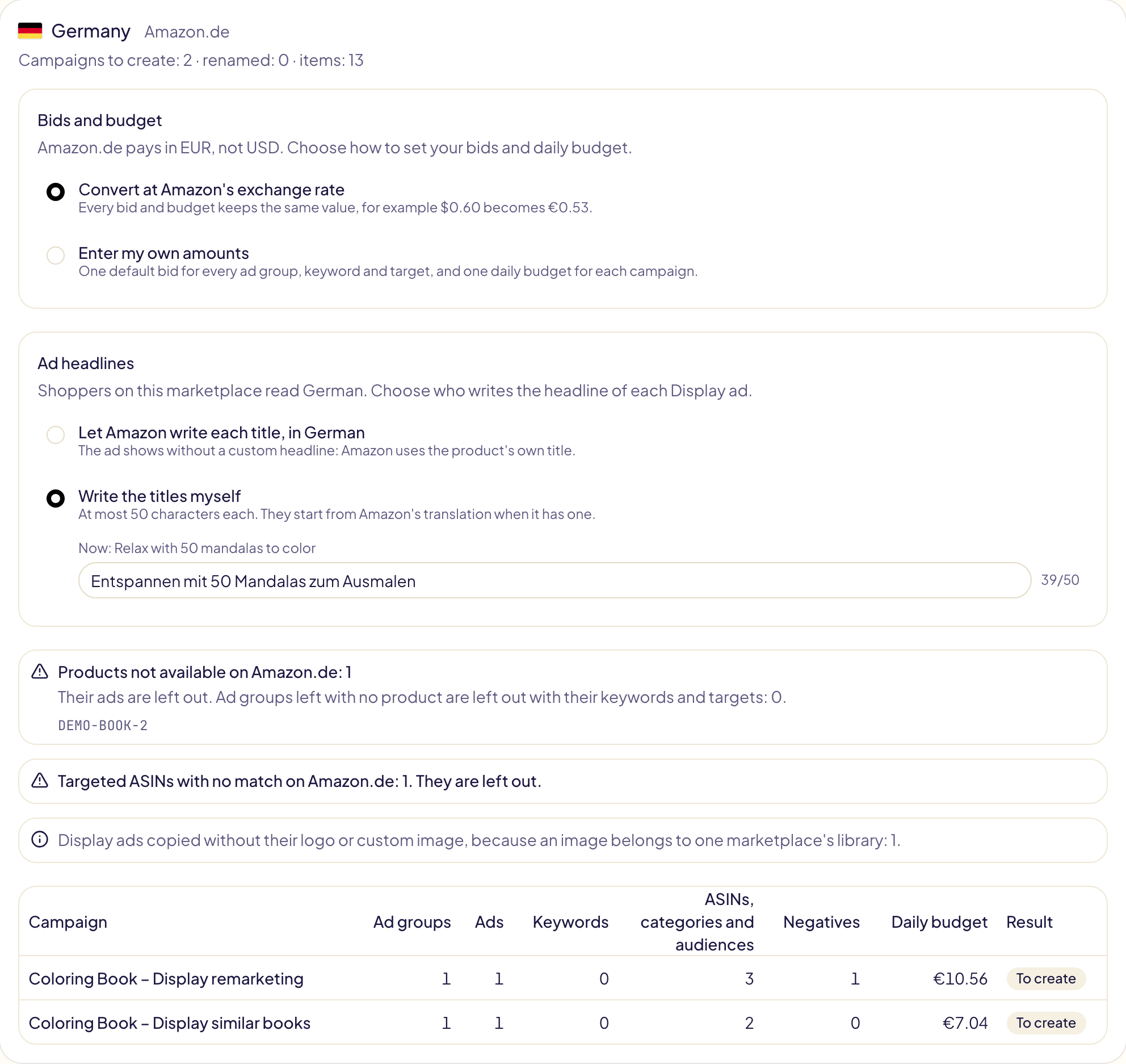
Display: ad headlines
A Display ad's custom headline must be in the marketplace's language, and at most 50 characters. When the language differs, choose in the same way:
- Let Amazon write each title — the ad shows without a custom headline, with the product's own title.
- Write the titles myself — each field starts from Amazon's translation of your headline when it has one.
A Display ad group that shows a video needs a video of that marketplace's library, picked like a Sponsored Brands video.
Streaming TV: videos
Each Streaming TV ad group shows a video. On another marketplace, pick one in that marketplace's library for each ad group, like a Sponsored Brands video, or leave the ad group out. On the same marketplace, the original video is kept.
6. Approve
The last card adds up what will be created on every marketplace.

- New campaigns are created paused, unless you switch on Create the campaigns enabled. Ad groups, ads, keywords and targets keep the state they have in the original campaign.
- Each marketplace runs as its own operation. Follow it line by line in Activity, where each line opens in the Amazon Ads console.
- Amazon reviews every new ad. Gloriads checks that review for you and tells you in Notifications if an ad is not accepted or does not deliver. Sponsored Brands, Display and Streaming TV ads are checked the same way; for Streaming TV, Amazon reviews the video too, which can take up to 3 business days.
What changes on a Sponsored Brands copy
| Part of the campaign | On the copy |
|---|---|
| Product collection, or an ad made before 2024 | Rebuilt as a collection of 3 to 10 products, the only kind Amazon still creates. A collection left with fewer than 3 products that exist there is left out. |
| Landing page | Amazon builds a new one from the products of the collection. A Store page is kept only on the same marketplace. |
| Logo | Kept on the same marketplace only: a logo belongs to one marketplace's library. Elsewhere the collection shows without it. |
| Video | The one you pick in that marketplace's library (see above). |
| Store spotlight and brand video ads | Not copied: they need a Store page of that marketplace. |
| Bidding strategy | « Down only » and « up and down » are kept. Strategies Amazon no longer offers on a new campaign (such as new-to-brand) become manual bidding: your bids, never raised. Placement adjustments ride with manual bidding only. |
| Keywords and ASINs in one ad group | An ad group targets keywords or products, never both: the copy keeps the kind it has more of. |
Broad match modifier keywords (+kids +shoes) | Stay broad match modifiers. Translated, the words go to Amazon without their « + », and each translated word gets one back. |
| ASIN and category targets on Amazon.nl and Amazon.com.au | Sponsored Brands does not offer them there. An ad group that targets products is left out on those marketplaces. |
What changes on a Display copy
| Part of the campaign | On the copy |
|---|---|
| Targeting tactic (contextual or audiences), cost (per click or per thousand views), optimization, image or video format | Kept as they are. |
| Targeted products, categories and brands | Matched by Amazon, like Sponsored Products targets. One with no equivalent there is left out and counted. Prices are converted. |
| « Similar to advertised products », and shoppers who viewed or bought your products | Copied as they are: they follow the products the copy advertises. |
| Amazon audiences (in-market, lifestyle, interests…) | The audience with the same name on that marketplace. If there is none, the target is left out and counted. |
| Custom headline | Kept in the same language; otherwise your choice (see above). |
| Logo and custom image | Kept on the same marketplace only: an image belongs to one marketplace's library. Elsewhere the ad shows without them. |
| Ads that lead off Amazon (to a Store or a link) | Not copied. |
A marketplace where Amazon does not offer Display to your account is greyed out in step 3. If Gloriads could not check it beforehand, its card says so after the check, and nothing is created there.
Amazon asks you to keep one contextual campaign and one audiences campaign per product and format. A copy on the same marketplace adds a second one: change its products or targets before you enable it.
What changes on a Streaming TV copy
| Part of the campaign | On the copy |
|---|---|
| Daily budget and maximum average CPM | Converted at Amazon's rate, or your own amounts. Amazon publishes no range for them. |
| Targeting (your audiences, or audiences Amazon chooses) | Kept as it is. |
| TV genres (content categories) | Copied as they are: they are the same on every marketplace. |
| Retail categories | Matched by Amazon, like Sponsored Products categories. One with no equivalent there is left out and counted. |
| Audiences (in-market, lifestyle, interests, life events) | Kept on the same marketplace only. Elsewhere they are left out and counted: Amazon offers no way to find their equivalent. |
| Locations (states, cities, postal codes) | Kept on the same marketplace only: a location belongs to one country. |
| Video | The same one on the same marketplace; elsewhere, the one you pick (see above). Amazon reviews every new video, up to 3 business days. |
| Ads that lead to a product page | The product's page on that marketplace. A product that does not exist there is left out. |
| Ads that lead to a Store or a link | Kept on the same marketplace only. |
What is not copied
| Part of the campaign | Why |
|---|---|
| Automatic targets (close match, loose match, substitutes, complements) | Amazon creates them itself in an automatic campaign, at the ad group's default bid. Their own bids and states are not copied. |
| Amazon Business placement adjustment | Not every marketplace has it. Top of search, product pages and rest of search are copied. |
| Sponsored Products bidding strategies other than fixed bids and dynamic bids (down only, or up and down) | Amazon's default strategy applies; the card tells you how many campaigns this affects. |
| Sponsored Brands campaigns paid per thousand views | Only campaigns paid per click are copied. |
| Portfolio, end date and start date | A portfolio belongs to one marketplace. The copy starts when you approve it and has no end date. |
Campaigns that target categories
Do categories exist on every marketplace?
No. Each marketplace has its own category tree, with its own categories. For every category you target, Gloriads asks Amazon which category is its equivalent on each marketplace you copy to. The copy targets that equivalent.
Why are some of my category targets left out?
Amazon has no equivalent category on that marketplace. This is common for niche categories. The preview counts them: « Category targets with no equivalent category on Amazon.de (Amazon has none) ».
Does Gloriads pick a similar category instead?
No. A category with no equivalent is simply left out. You can add other categories to the copy later, in the Amazon Ads console.
What happens to brand, price, rating and Prime refinements?
| Refinement | On the copy |
|---|---|
| Brand, age range, genre | Matched by Amazon, like the category. If one has no equivalent, the target is left out. |
| Price | Converted to the local currency at Amazon's exchange rate. |
| Rating, Prime | Copied as they are. |
What if an ad group loses all its categories?
It is still created with its ads, but without any target, so it will not show. The preview warns you before you approve: « Ad groups with no target on Amazon.de: 1 ». The same goes for an ad group that had no target to begin with. Untick that campaign, or add targets to the copy in the Amazon Ads console afterwards.
Limits
- Up to 200 campaigns at a time, and up to 5,000 items (campaigns, ad groups, ads, keywords and targets) per marketplace. Past that, copy fewer campaigns at a time.
- Translations and exchange rates are Amazon's. Gloriads uses exactly the ones shown in the preview when you approve.