
Dayparting
Pause campaigns or change their bids at set hours of the week, at each marketplace's own time, with the figures hour by hour to decide which hours.
Dayparting makes your campaigns behave differently by hour of the week: paused at night, bids raised when shoppers buy, back to normal at the end of each slot. You paint a week of 7 days × 24 hours; Gloriads applies it at each marketplace's own time.
Paint the week
Open Dayparting in the sidebar, then New schedule.
- Give it a name and Choose campaigns: any ad type, from one marketplace or several.
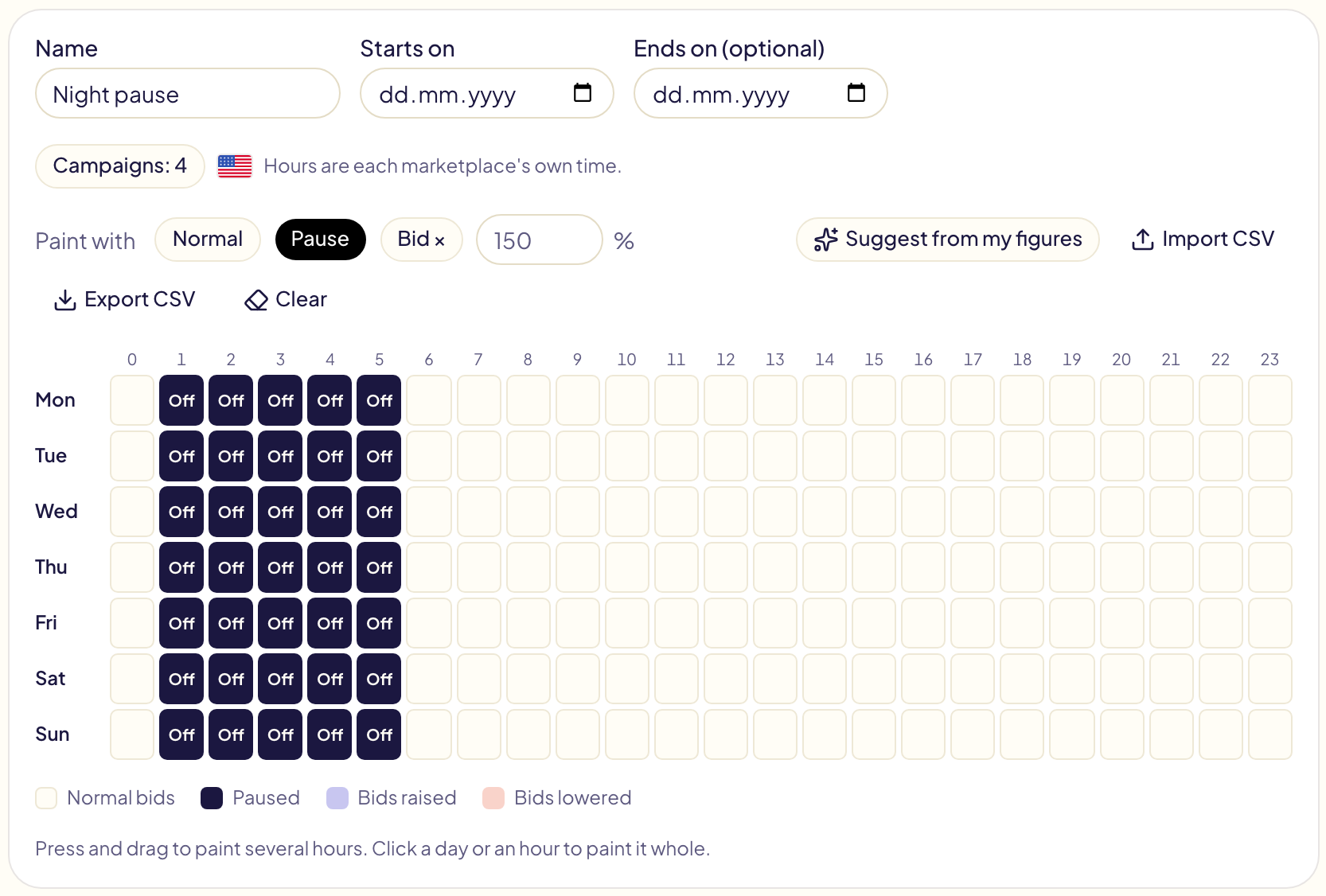
- Pick a brush, then click or press and drag over the hours:
| Brush | What the hour does |
|---|---|
| Normal | Nothing: your own bids. |
| Pause | The campaigns are paused, then turned back on when the slot ends. |
| Bid × with a percentage | Every bid of the campaigns is multiplied: 150% raises them by half, 80% lowers them by a fifth (10% to 900%). |
Click a day's name to paint the whole day, an hour's number to paint that hour on every day. Hours are each marketplace's own time: « 01:00 » is 1 a.m. in Los Angeles for the United States, in London for the United Kingdom.
- Optionally, a start date and an end date (a Black Friday weekend).
- Create the schedule, then Turn on. Gloriads shows what the week will do before it starts.
The percentage applies to every target's bid and to every ad group's default bid of the campaigns (Streaming TV: the ad groups' CPM bids). It stays inside Amazon's limits and your campaign's own bid limits.
Which hours sell
Under the grid, What these campaigns did, hour by hour colours each hour by spend, sales, ACOS, CPC, orders or clicks over the last 14, 30, 90 or 365 days. CPC compares each hour's cost per click with the period's average: pale below it, dark coral above it.
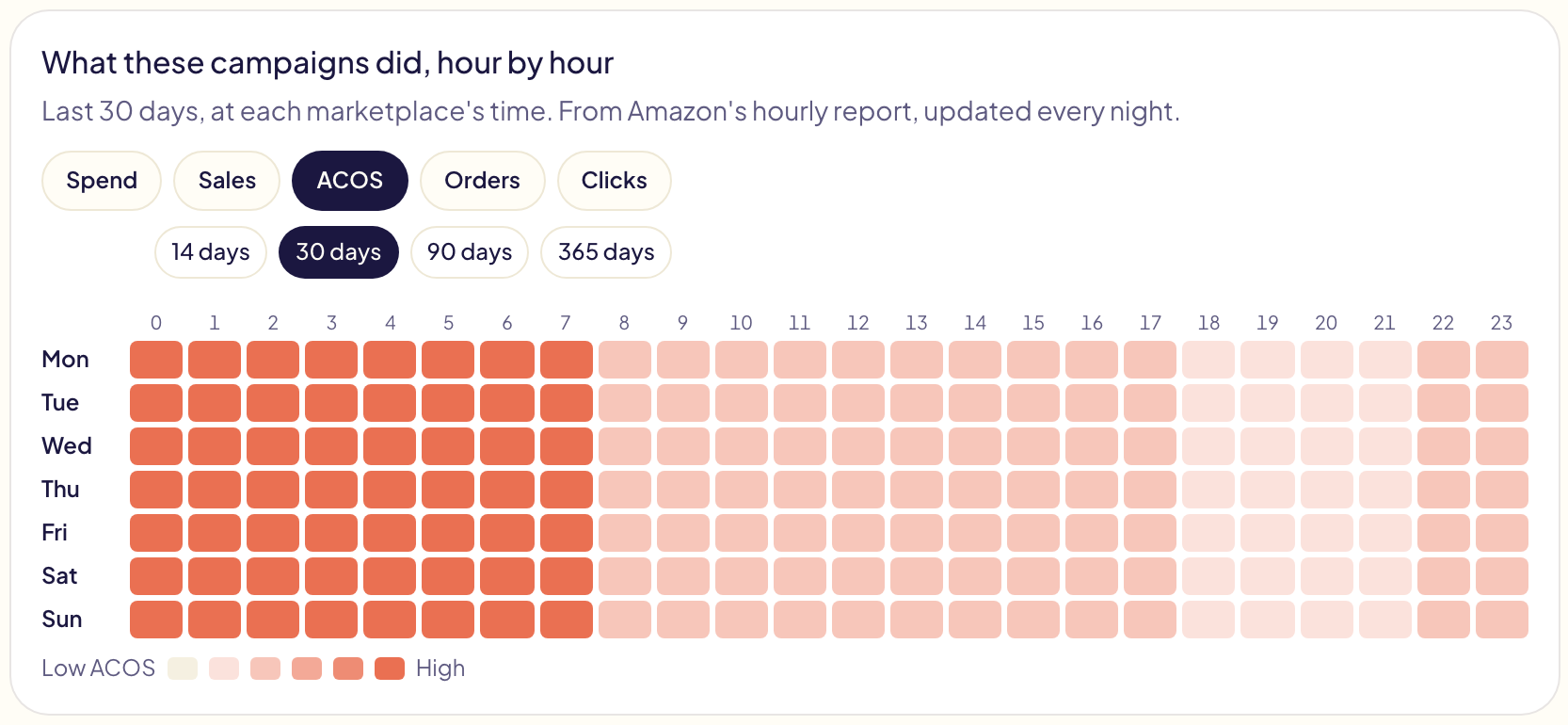
The figures come from Amazon's hourly report, read every night: they stop at yesterday. Amazon keeps hourly figures 14 days; Gloriads keeps them for a year from the day you first open this page. The dashboard shows the same hours for your whole account in Performance by hour (folded until you open it).
Suggest from my figures paints Pause on the hours whose ACOS over the last 30 days is above twice your target ACOS, with at least 20 clicks. It only fills the grid: you check it and save.
This week, and the last 30 days
On the right, This week lists every change the schedule makes, hour by hour. Over the last 30 days adds up what the paused hours spent and sold: what pausing them would have kept.
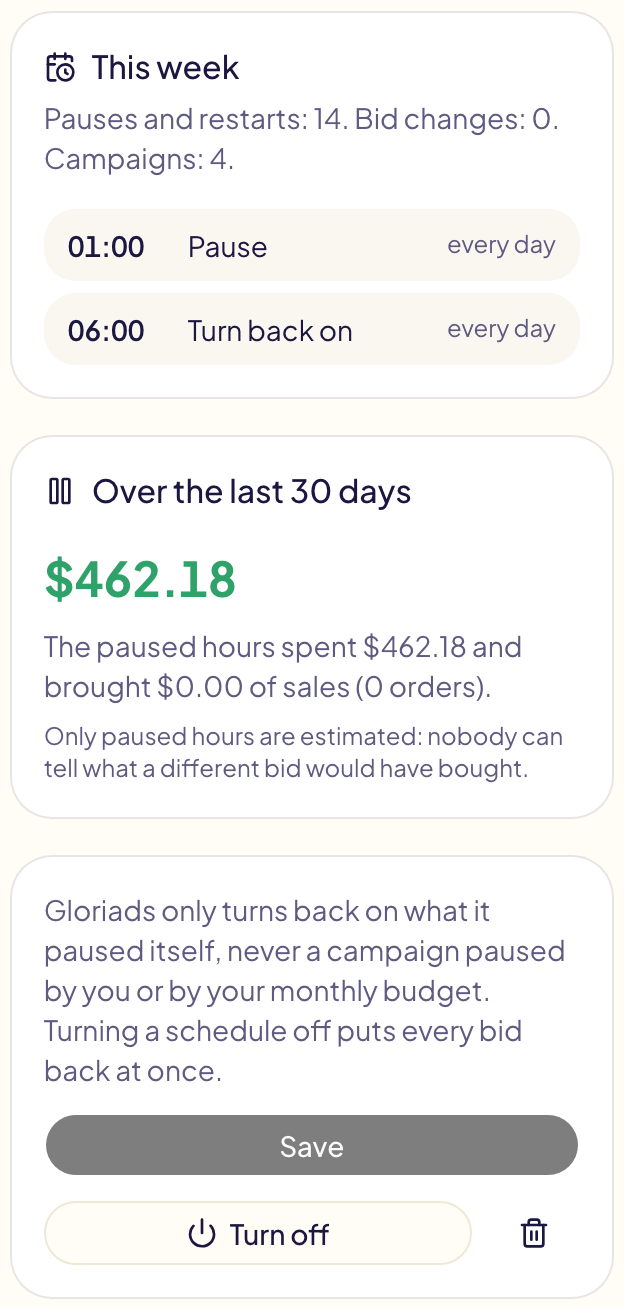
Only paused hours are estimated: nobody can tell what a different bid would have bought.
What Gloriads guarantees
- It only turns back on what it paused itself. A campaign you paused, or that your monthly budget paused, stays paused.
- Your own changes win. Change a bid in Amazon or in Gloriads during a slot: that new bid becomes the one the schedule starts from.
- Everything goes back at once when a slot ends, when you turn the schedule off or delete it, when you take a campaign out of it, and when your Gloriads plan ends.
- Every change is in Activity, one line per hour and marketplace, and can be undone.
If Amazon cannot be reached (a reconnection needed), Gloriads tells you in Notifications and catches up as soon as it can.
Several schedules
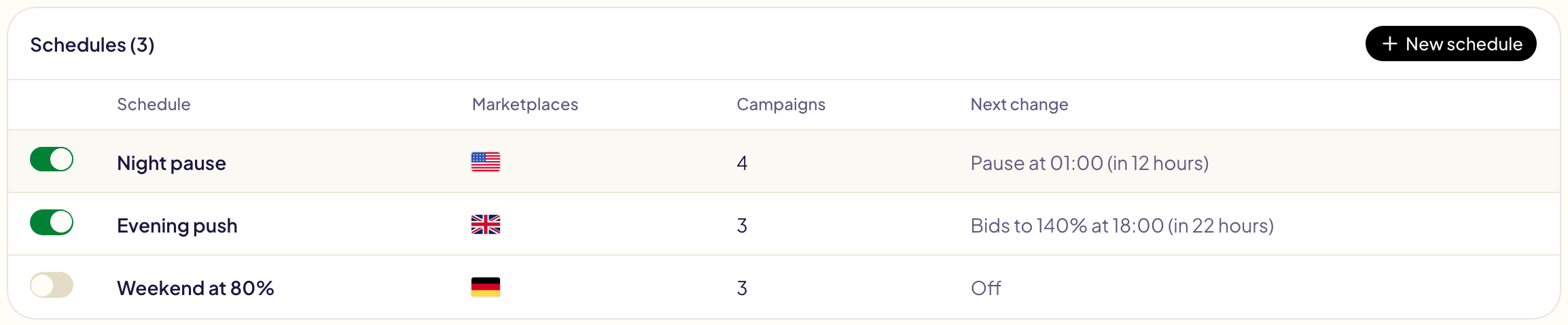
Create as many as you need, each with its own campaigns: a night pause in the United States, an evening push in Europe, a weekend schedule left off until you need it. A campaign follows one schedule that is on at a time: in the campaign list, those another schedule holds are greyed with its name.
Import or export a CSV
Import CSV reads day,hour,value lines, one hour per line: a day as Mon to
Sun or 1 to 7 (Monday is 1), an hour from 0 to 23, a value as a percentage
(150), pause or normal. An hour the file does not name stays normal.
Export CSV gives the same file back.
day,hour,value
Mon,1,pause
Mon,18,150
Limits
- One change of an hour touches at most 5,000 bids and campaigns per account. Above that, the schedule is turned off and you are told: split its campaigns between two schedules.
- Bids do not move by themselves within an hour: a schedule follows the grid you painted. To act on figures, use rules, which can also read the hour of day and the day of the week.