
Activity
Every operation you approved, what Gloriads did on Amazon line by line, and what Amazon's review said.
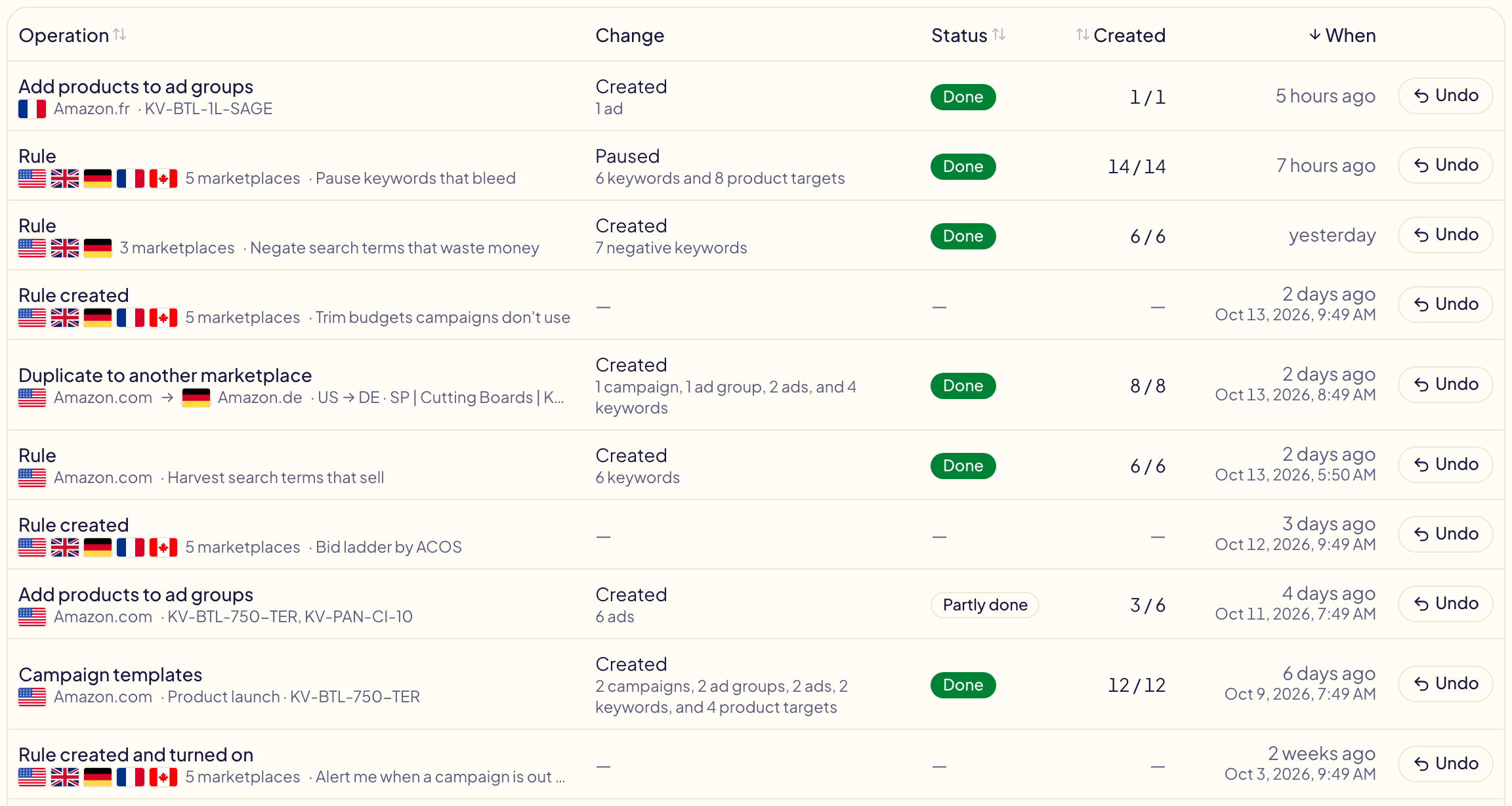
Activity lists every operation you approved in the toolkit, everything your rules changed, and every change you made to a rule, newest first. Under each one, its marketplace: Amazon.com, or Amazon.com → Amazon.co.uk for a campaign copied to another marketplace. Change says what it changed, like Paused on 6 keywords and 8 product targets. When says how long ago; past 48 hours, the exact date and time show under it (point at a newer one to see them). Open a line to see it line by line, with its date and time under its title.
Activity keeps the last 400 days, in both tabs: anything older is deleted for good.
Changes made outside Gloriads
The Others tab, next to Gloriads at the top of the page, lists what changed in your campaigns outside Gloriads: in the Amazon Ads console, or by another tool still connected to your account. Amazon records when each change was made, never who made it.
- Changes of the same kind made close together are one line, such as Bid lowered on 6 keywords for another tool's nightly pass. Click the line to see each change, with its value before and after.
- Filter it by marketplace, campaign and ad group, like the Gloriads tab.
- Gloriads reads Amazon's change history once a day, and again when you open the tab (at most once an hour).
- It covers Sponsored Products and Sponsored Brands: Amazon keeps no history of Display and Streaming TV. The first read goes back 90 days, Amazon's limit, and Gloriads keeps what it read from then on.
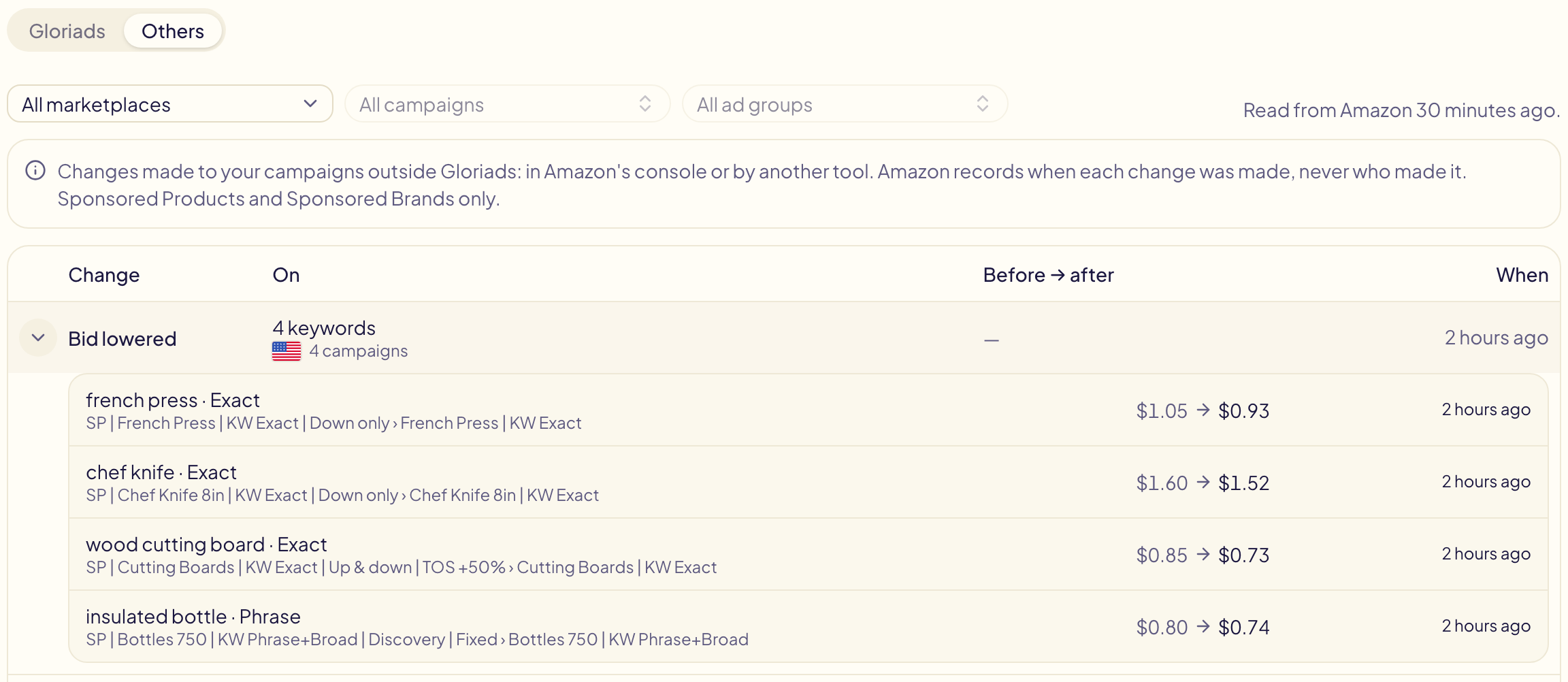
A value changed outside Gloriads makes your rules leave it alone for 7 days (rules): this tab shows what happened.
Filter the list
Pick a marketplace to see only what happened there; a campaign copied to another marketplace shows under both. Then pick one of its campaigns (search it by name) and, if you want, one of its ad groups: the list keeps the operations and rule runs that created or changed something in them. A change to a rule names no campaign, so it shows under a marketplace, not under a campaign.
Pick a status to see only the lines that show it: Failed or Check needed to find what went wrong, Running for what is still on its way. It works with or without a marketplace. A change to a rule has no status, so it leaves the list.
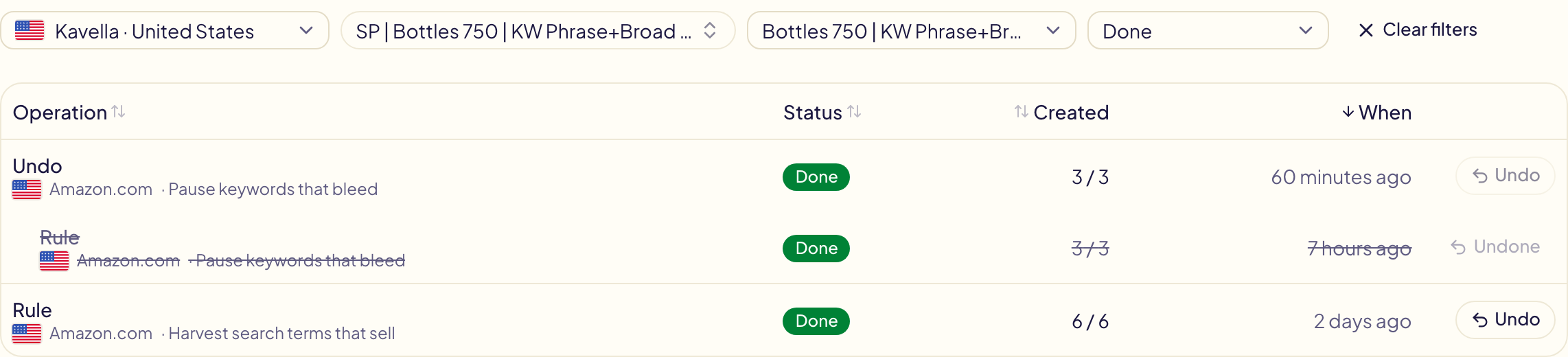
Open an operation from a list filtered on a campaign or an ad group to see only its lines there; Show all lines shows the rest. The filters stay in the page's address, so a filtered list can be bookmarked.
Saved filters
Set the filters you check often, then open Saved filters, at the top right, and choose Save current filters…. Give them a name: next time, one click on that name applies them again, tab included. Saving under a name you already use replaces it.
In Manage saved filters…, make one the Default: Activity then opens with it whenever you arrive with no filter. A link or a bookmark with its own filters keeps them. Each list keeps up to 30 saved filters.

Sort the list
Click a column's name to sort the list on it: Operation, Status, Created or When. Click it again for the other direction. The sort applies to the lines on the page, and an undo always moves with the line it took back.
What your rules did
The Rules filter keeps only your rules:
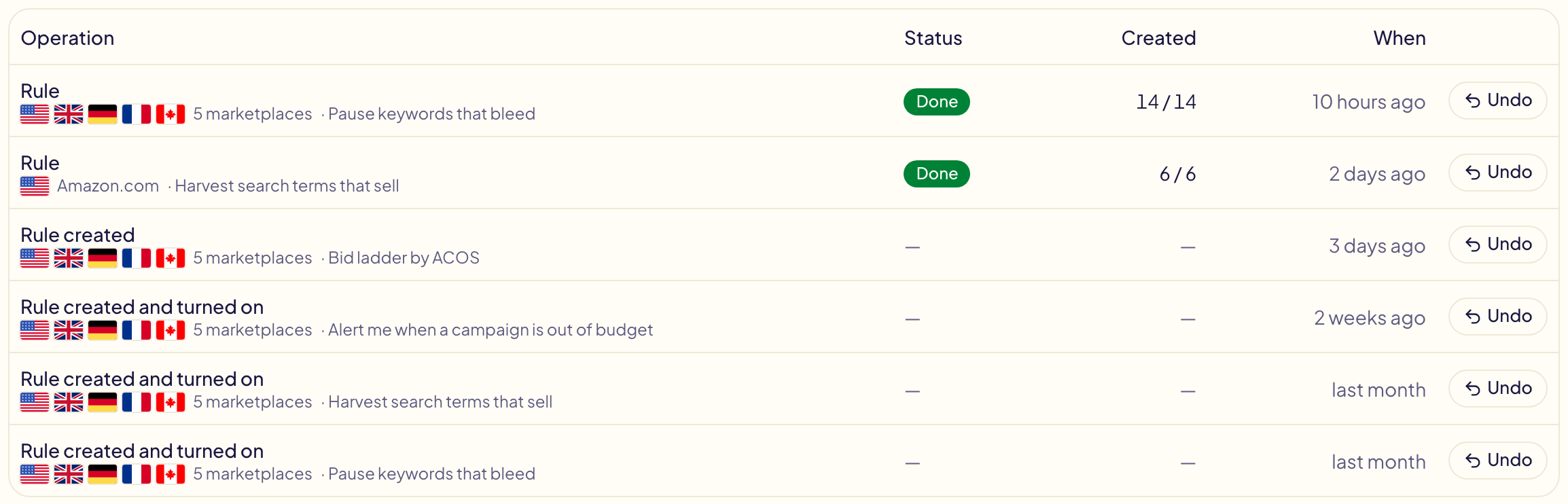
- Rule — a run that changed something. It is one line, however many marketplaces it acted on: its flags show which.
- Rule created, Rule edited, Rule turned on, Rule turned off, Rule deleted — what you did to a rule, with the marketplaces it covered at that moment. An edit says what changed (its name, its marketplaces, its IF / THEN…). Click one to open the rule, while it exists.
Open a run to see every change it made (a bid lowered, a keyword paused, a search term added), each with its marketplace and its value before and after. When the run acted on several marketplaces, the buttons above the table show one marketplace at a time.
Why a rule changed something
A run's page says what happened before you read a single line:
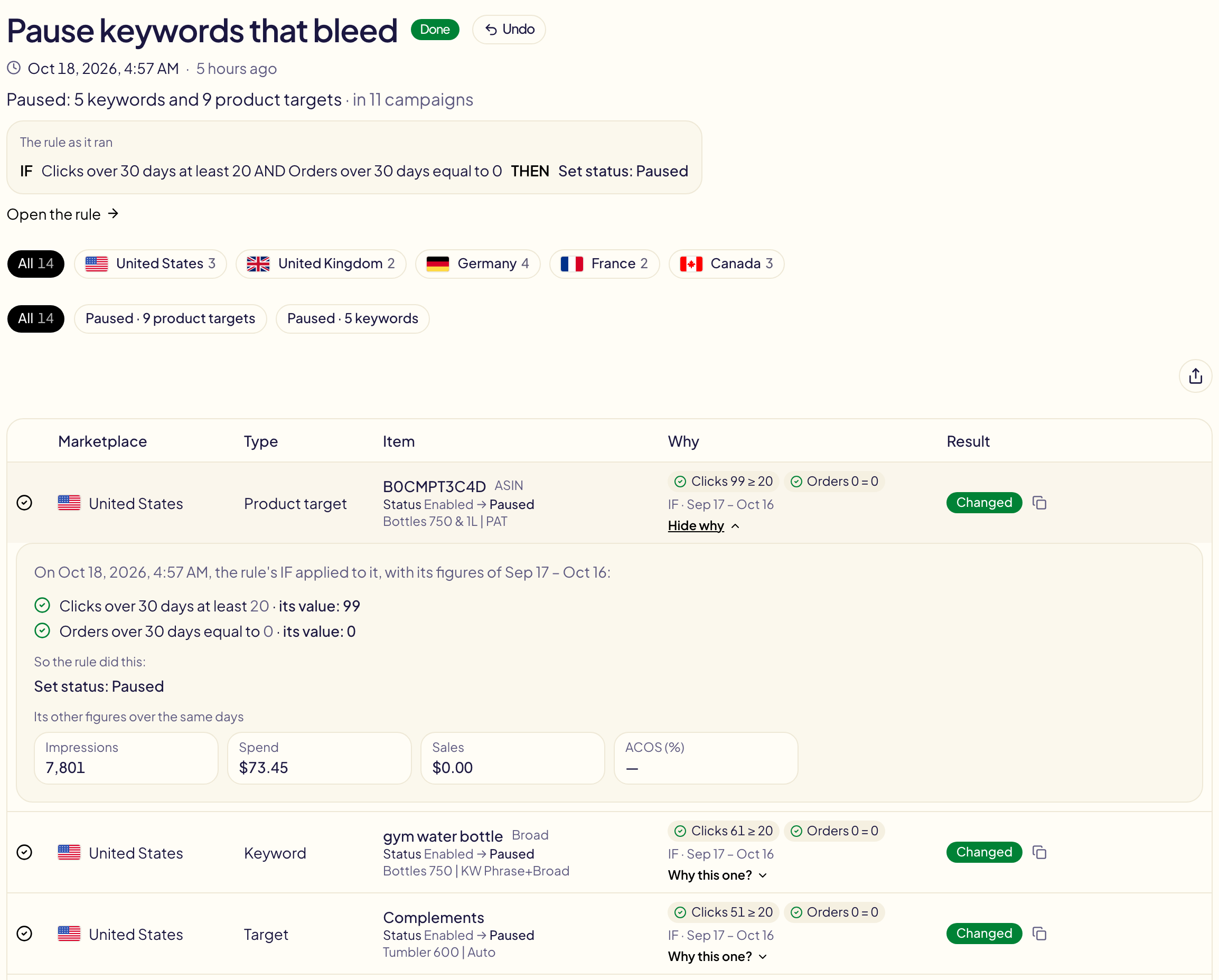
- Under the title, what the run did, such as Bid lowered: 68 keywords · Bid raised: 52 keywords, then what did not apply: not applied, held back, kept off. Click one to see just those lines.
- The rule as it ran: its IF, ELSE IF and ELSE with what each did. When you edited the rule after the run, it says Edited since this run: the run used the version shown here.
- Filters above the table: what did not apply, or one kind of change. The lines that did not apply always come first.
- Why, on each line: the conditions of the branch it took, with its own value and the rule's, like ACOS 52 % > 40 % and Clicks 18 ≥ 15, and the days its figures cover.
- Why this one? opens the details: each condition in words, what the rule then did, and its other figures over the same days (impressions, spend, sales, orders).
Runs from before October 18, 2026 show — in Why: they did not keep it.
What a Notify me rule finds changes nothing on Amazon, so it is not here: it is in your notifications.
Undo
Every line ends with Undo, and Gloriads always asks Are you sure? before doing anything. For an operation or a rule's run, the question says exactly what will happen:
- A change goes back to its earlier value: a bid, a budget, a status, a bidding strategy, a placement.
- What Gloriads created is archived: a campaign (with everything in it), an ad group, an ad, a keyword or a target. Amazon never deletes any of them: it archives them, for good. Nothing archived can be turned back on, but it stays in your reports. To run an archived campaign again, copy it in the Amazon Ads console. The question turns red when this happens.
- A change made again since is left as it is: when a later operation or rule run changed the same bid or budget, that newer value stays.
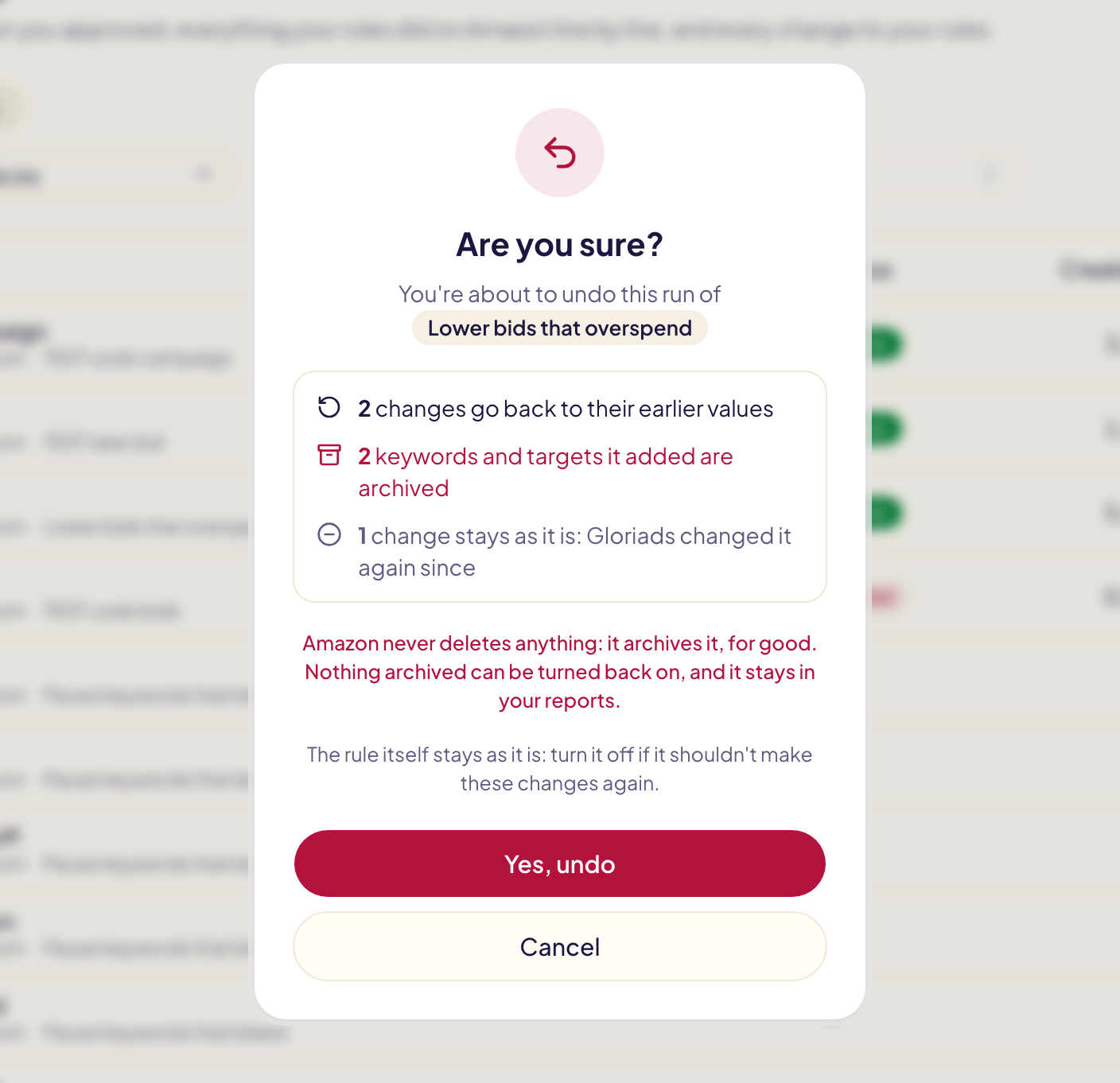
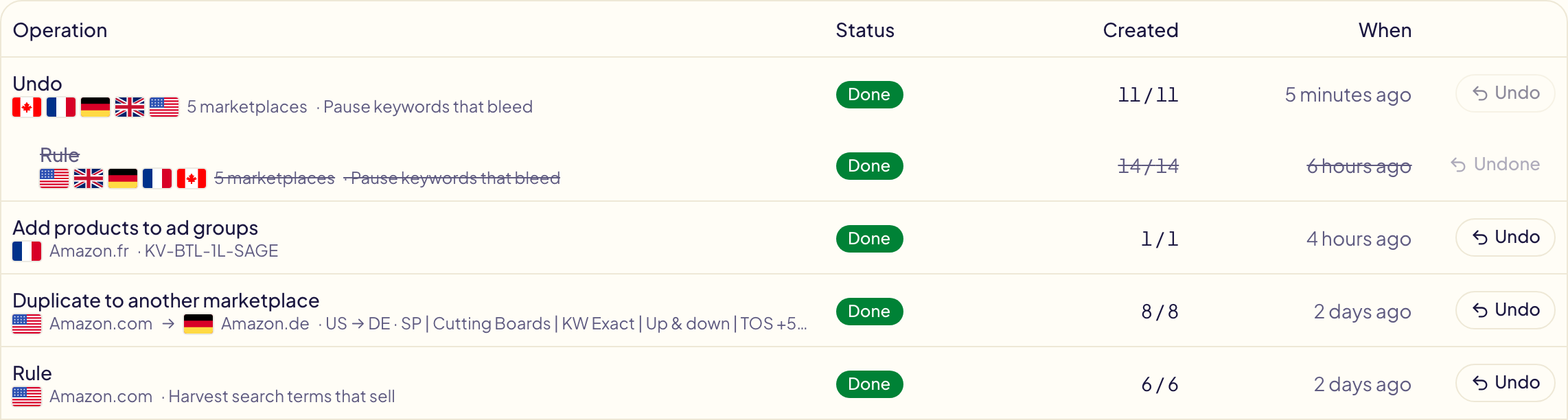
The undo is an operation of its own, with its line in Activity right above the line it undid: that line moves in a little, is struck through and says Undone. A rule's run is undone on all its marketplaces at once, in one line. The rule itself stays as it is: turn it off if it shouldn't make the same changes again.
For a change to a rule, Undo does the opposite. Nothing is sent to Amazon:
| Line | Undo |
|---|---|
| Rule created | Deletes the rule. |
| Rule turned on / Rule turned off | Turns it off / back on. |
| Rule edited | Puts back the version just before the edit. |
| Rule deleted | Restores the rule as it was, turned on or off. |
Only a rule's latest change can be undone, and its undo sits right above it the same way. When Undo is greyed, point at it to see why: still running, nothing went through, already undone, or the rule changed again since.
Operation status
| Status | Meaning |
|---|---|
| Running | Gloriads is creating the lines. The page updates by itself. |
| Done | Every line was created. |
| Partly done | Some lines were created, others refused by Amazon. The refused ones say why. |
| Failed | Nothing could be created. |
| Check needed | The connection dropped while Amazon was answering, so Gloriads cannot be sure a line was created. It never retries blindly, to avoid creating it twice: check that line in the console. |
| Scheduled | A part of a very big launch, waiting for its time. Nothing is sent to Amazon before. |
| Not sent | A part of a very big launch that was stopped before its time. |
Each line
- Item — the product, keyword or target, and the ad group it went into. Click a line to open where it changed in the Amazon Ads console: its ad group, or its campaign for a change to a campaign. A Sponsored Brands line opens your campaign list instead, and copies the campaign's name: paste it into Search by name or ID. Amazon's console only opens a Sponsored Brands campaign from its own ids, which Amazon does not share with other tools.
- Type — what the line is: a campaign, an ad group, an ad, a keyword, a negative keyword, a product target…
- Result — in one word: Added, Created, Changed, Archived, or Not applied with Amazon's reason in plain words. Held back is a rule's change another rule or you made first. Kept off is a negative one of your never-negate lists (Keywords or ASINs) kept off. Neither is a failure. To check: the connection dropped while Amazon was answering (see Check needed below). The copy button next to the word copies Amazon's id of the line, if support asks for it.
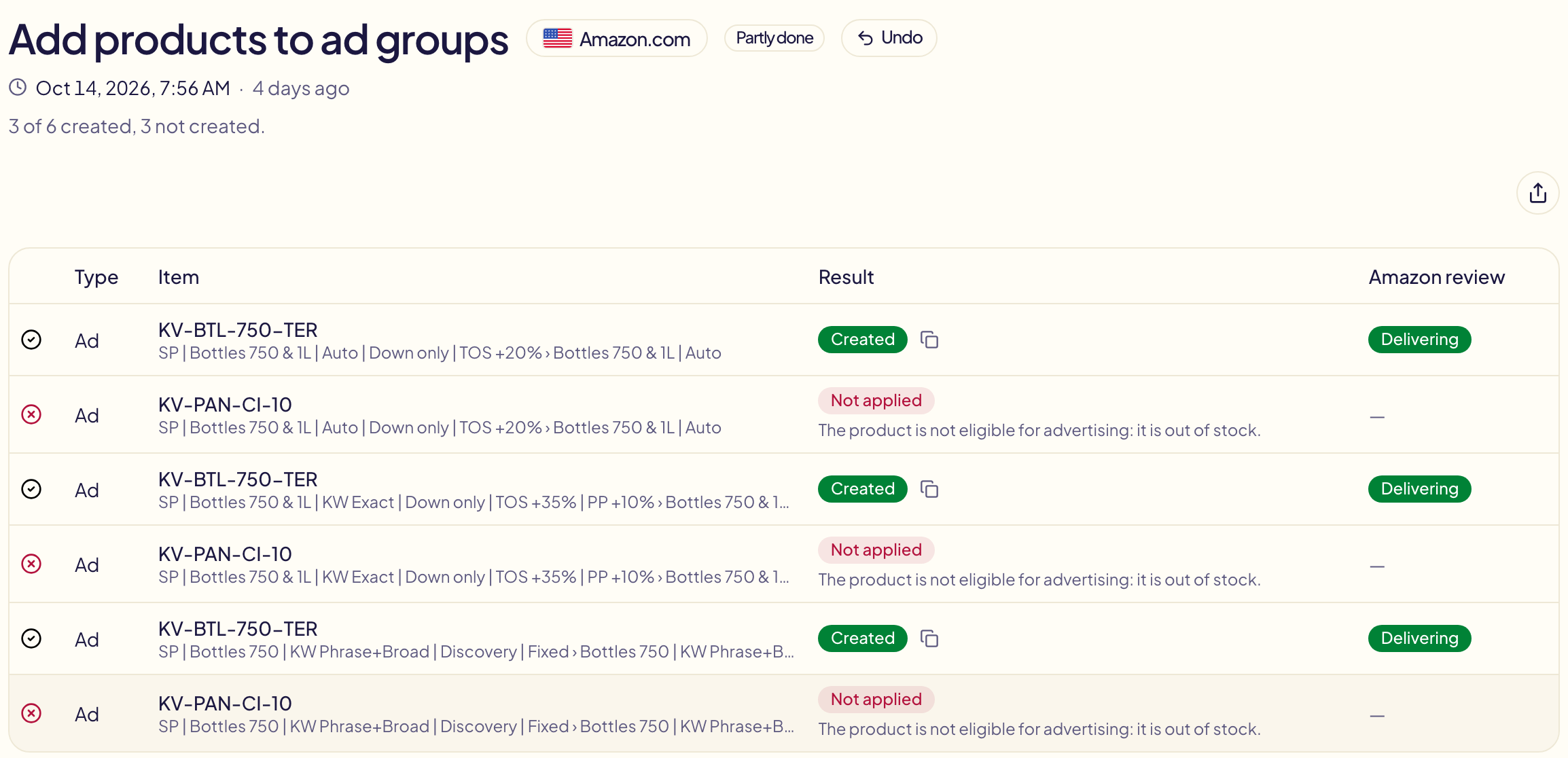
- Amazon review — for a new ad, what Amazon's review said.
| Review | Meaning |
|---|---|
| Pending review | Amazon has not finished reviewing the ad. |
| Delivering | The ad is approved and showing. |
| Approved · paused | Approved, and paused as you chose when creating it. |
| Not delivering | Approved but not showing, with Amazon's reason (out of stock, campaign paused…). |
| Not accepted | Amazon refused the ad, with its reason. |
| Not approved after 5 days | Still pending after five days: treated as a failure. |
The first check comes 24 hours after creation. Anything other than delivering also lands in your notifications.